🏦 Bank Connections (CDR) in Moneytor
Bank connections through the Consumer Data Right (CDR) framework, also known as Open Banking, represent the most secure and convenient way to automatically sync your financial data with Moneytor. This comprehensive guide will walk you through everything you need to know about connecting your bank accounts, managing consents, understanding Fiskil (our CDR provider), and maintaining complete control over your banking data connections.
What is CDR (Consumer Data Right)?
The Consumer Data Right is an Australian Government initiative that gives you the legal right to safely access and share your banking data with accredited third parties like Moneytor. Think of it as a secure bridge between your bank and Moneytor, regulated by the Australian Competition and Consumer Commission (ACCC) and overseen by the Office of the Australian Information Commissioner (OAIC). This framework ensures that your financial data can be shared safely whilst maintaining the highest standards of privacy and security.
The CDR system works on the principle of informed consent—you choose exactly which accounts to share, what data to provide access to, and for how long that access should remain active. Unlike traditional methods where you might share your banking credentials directly, CDR ensures that Moneytor never sees your banking login details or passwords. Instead, your bank provides a secure, read-only connection that allows us to retrieve your account balances and transaction history automatically.
Understanding Fiskil: Our CDR Provider
Fiskil is Moneytor’s trusted CDR data provider—a fully accredited and regulated intermediary that facilitates secure data connections between your bank and Moneytor. As an official CDR participant, Fiskil operates under strict regulatory oversight and maintains the highest standards of data security and privacy protection.
When you connect your bank to Moneytor, the process actually flows through Fiskil’s secure infrastructure. Your bank authenticates you directly through their own secure portal, then provides Fiskil with encrypted access to your specified accounts. Fiskil then securely transfers this data to Moneytor, ensuring end-to-end protection throughout the entire process.
Fiskil acts as a crucial security layer in the CDR ecosystem. They handle the complex technical aspects of CDR compliance, data encryption, and secure transmission protocols, whilst ensuring that all connections remain compliant with Australian privacy laws and banking regulations. This partnership allows Moneytor to focus on providing you with exceptional financial management tools whilst knowing that your data connections are handled by CDR specialists.

How to Connect Your Bank Account
Connecting your bank account through CDR is designed to be straightforward and secure. The entire process typically takes just a few minutes and can be completed entirely within Moneytor’s secure environment.
Step 1: Initiate the Connection
Begin by navigating to the Accounts section in Moneytor and clicking the Add Account button. Select Connect Bank Account to start the CDR connection process. You’ll be presented with a list of supported Australian banks and financial institutions—choose your bank from this list to proceed.
Step 2: Secure Bank Authentication
Once you’ve selected your bank, Moneytor will open a secure iframe connecting you directly to Fiskil’s CDR portal. From here, you’ll be redirected to your bank’s official authentication system—the same secure portal you use for your normal online banking. At no point does Moneytor or Fiskil see your banking credentials; this authentication happens entirely within your bank’s secure environment.
During this step, you’ll log in using your usual banking credentials, including any multi-factor authentication your bank requires. Some banks may ask you to verify your identity using SMS codes, mobile app notifications, or other security measures they’ve implemented.
Step 3: Account Selection and Consent
After successfully authenticating with your bank, you’ll be presented with a list of your accounts that are eligible for CDR sharing. You have complete control over which accounts to connect—you might choose to connect all your accounts, or just specific ones like your everyday transaction account and savings account whilst keeping others private.
For each account you select, you’ll see exactly what information will be shared, including account balances, transaction history, and account details. The consent process also clearly explains how long the access will remain active and what your rights are regarding revocation and data management.
Step 4: Finalising the Connection
Once you’ve confirmed your account selections and consents, Fiskil will establish the secure connection with your bank. This process typically takes 30-60 seconds, during which Moneytor will display a progress indicator. The system automatically retries any temporary connection issues and provides clear feedback if any problems arise.
After the connection is established successfully, Moneytor will begin syncing your account information and recent transaction history. Initial sync may take a few minutes, depending on the amount of transaction data being imported.
Screenshot Placeholder: CDR Connection Process Steps
Automatic Syncing and Data Updates
Once your CDR connection is established, Moneytor automatically synchronises your banking data multiple times throughout each day. This ensures your financial information remains current without requiring any manual intervention from you.
Sync Frequency and Timing
Moneytor typically syncs CDR data every few hours during business hours, with additional syncs triggered by user actions such as viewing account balances or generating reports. The exact frequency depends on your bank’s CDR capabilities and current system load, but most users see updates within 2-4 hours of transactions appearing in their online banking.
The system is intelligent about sync timing, performing more frequent updates during peak transaction periods and reducing frequency during times when transaction activity is typically lower. This ensures you have timely updates when you need them whilst avoiding unnecessary system load.
Transaction Categorisation
As new transactions are imported through CDR, Moneytor automatically applies intelligent categorisation based on merchant information, transaction descriptions, and your historical categorisation patterns. This automation significantly reduces the manual work required to maintain accurate financial records.
The system learns from your categorisation choices over time, becoming increasingly accurate at predicting the correct categories for new transactions. You can always review and adjust categories manually when needed, and these adjustments help improve future automatic categorisation.
Balance Updates
Account balances are updated with each sync, providing you with near real-time visibility into your financial position. This is particularly valuable for budgeting and cash flow management, as you can make spending decisions based on current, accurate balance information.
The system also tracks balance history over time, allowing you to see trends and patterns in your account balances and providing valuable insights into your financial habits and cash flow patterns.

Managing Your Connections and Consent
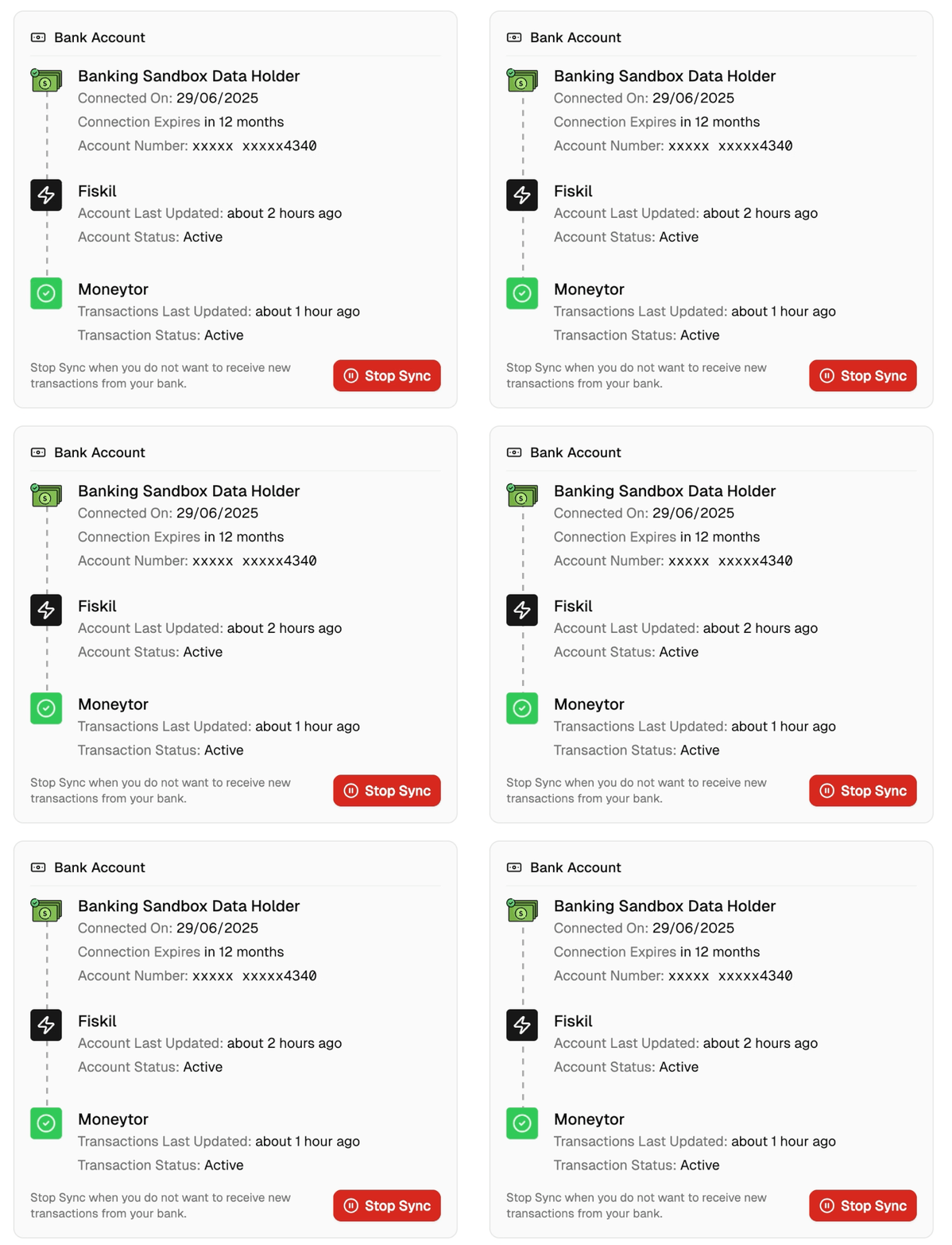
Your CDR consents are fully manageable through Moneytor’s settings, providing a comprehensive overview of all your active bank connections and giving you complete control over each consent.
Viewing Active Connections
Navigate to Settings > Bank Connections to see a detailed table of all your active CDR consents. Each connection displays essential information including the bank name, the email address used for the connection, current status, creation date, expiry date, and the number of connected accounts. The status indicator shows whether each connection is active, expired, or expiring soon, helping you stay informed about the health of your connections.
The interface also displays institutional logos where available, making it easy to quickly identify each bank connection. Connection statuses are colour-coded: green for active connections, yellow for those expiring soon, red for expired connections, and grey for inactive ones.
Revoking Your Consent
You maintain complete control over your CDR consents and can revoke access at any time through multiple methods. Revoking a consent immediately stops all future data access whilst preserving your existing transaction history in Moneytor.
- Through Moneytor (Recommended): The most convenient method is through Moneytor’s Bank Connections page. Simply click the Revoke button next to any active connection to begin the revocation process. The system will present a clear confirmation dialog explaining exactly what will happen, including stopping automatic transaction imports.
- Through Your Bank: You can also revoke CDR consents directly through your bank’s online banking platform or mobile app. Most Australian banks provide a CDR management section where you can view and revoke third-party access permissions.
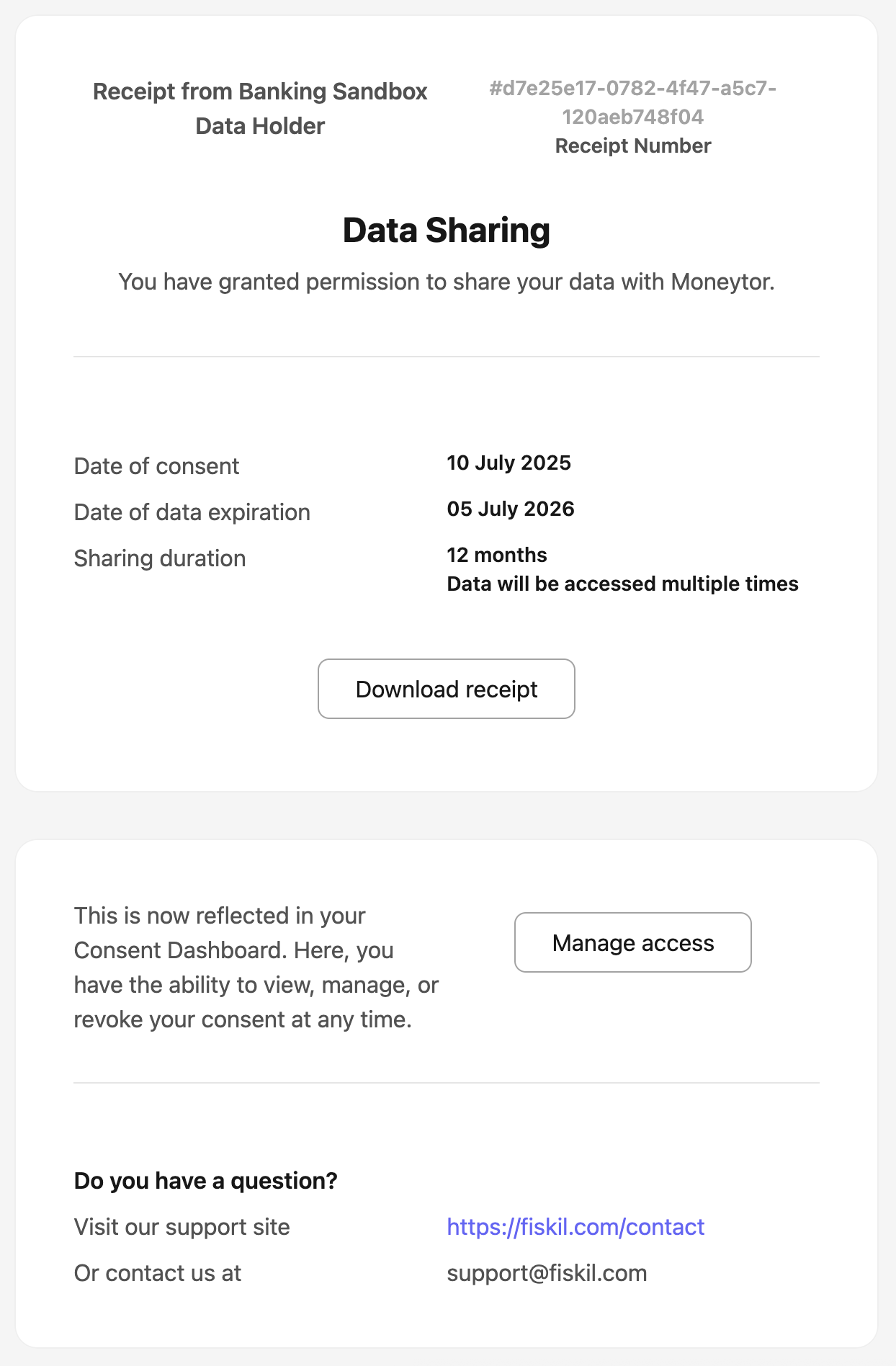
- Through Fiskil: Fiskil provides its own consent management portal where you can view and manage all your CDR consents. You can access this portal through links provided in Fiskil’s communication emails or through their consumer website.

Understanding Data Security and Privacy
Your data security and privacy are paramount in all CDR operations. The entire CDR framework is built around multiple layers of protection, regulatory oversight, and strict compliance requirements.
Bank-Grade Security
All CDR connections use bank-grade encryption and security protocols. Your banking credentials are never stored by Moneytor or Fiskil—authentication happens entirely within your bank’s secure environment. All data transmitted between your bank, Fiskil, and Moneytor is encrypted in transit and encrypted at rest. The framework includes built-in security features such as automatic consent expiry (typically 12 months) and comprehensive audit logging.
Regulatory Compliance
CDR operations are subject to strict regulatory oversight by multiple Australian government bodies. Fiskil, as an accredited CDR participant, undergoes regular audits and compliance checks to ensure they meet all regulatory requirements. Moneytor also maintains compliance with all relevant privacy laws and banking regulations. The framework includes mandatory breach notification requirements and strict data handling protocols.
Your Rights and Controls
Under the CDR framework, you have specific rights regarding your data, including the right to know what data is being collected, how it’s being used, and who has access to it. You also have the right to have your CDR data deleted from Moneytor’s systems, the right to have inaccuracies corrected, and the right to lodge complaints with regulatory bodies if you believe your CDR rights have been violated.
Troubleshooting Common CDR Issues
While CDR connections are generally reliable, occasional issues can arise. Understanding common issues helps you maintain smooth access to your financial data.
Connection Timeouts
If your connection attempt times out, this is typically due to network connectivity or temporary problems at your bank’s servers. The system allows up to 60 seconds for the authentication process to complete. To resolve, ensure you have a stable internet connection and try again. If problems persist, check your bank’s website to ensure their services are operating normally.
Authentication Failures
Authentication failures usually occur if your banking credentials have changed, your account has been locked, or your bank updated their security requirements. If you experience failures, first verify that you can log into your bank’s online banking normally using the same credentials.
Expired Consents
CDR consents automatically expire for security, typically after 12 months. When a consent approaches expiry, you’ll receive notifications. Expired consents stop automatic syncing but don’t affect your existing history. To resolve, simply create a new CDR connection using the same process you used originally.
Best Practices for CDR Management
Regular Consent Review
Periodically review your active CDR consents to ensure they remain necessary. Remove connections for accounts you no longer use. Consider reviewing your consents quarterly or whenever you make significant changes to your banking arrangements.
Proactive Consent Renewal
Rather than waiting for consents to expire, consider renewing them proactively when they approach expiry. This prevents any interruption in automatic transaction syncing. Set calendar reminders or take advantage of Moneytor’s expiry notifications.
Monitor for Changes
Stay alert to communications from your bank regarding CDR changes, new security requirements, or system updates that might affect your connections. Similarly, keep your contact information current in both Moneytor and with your banks to ensure you receive important notifications.
Understanding Communications from Fiskil
Consent Notifications
Fiskil sends automated notifications when consents are approaching expiry, when revocation requests are processed, or when technical issues affect your connections. These emails typically include details about which bank and accounts are affected and what action is required.
Security Updates
Occasionally, Fiskil may send security updates regarding their platform, changes to CDR regulations, or new features that affect your data protection.
Technical Service Notifications
Fiskil may send notifications about planned maintenance or service updates that could temporarily affect your connections.
Always verify that Fiskil emails are legitimate by checking the sender address and looking for official branding. Legitimate Fiskil emails will never ask you to provide sensitive information.