
🏡 Managing Households in Moneytor
The Household feature in Moneytor is the foundation that enables secure, collaborative financial management for families, couples, flatmates, business partners, or any group sharing financial responsibilities. Understanding how households work, the different permission levels, and the processes for adding and managing users will help you get the most out of Moneytor’s collaborative features while maintaining complete data security and privacy.
Understanding Households
A Household in Moneytor represents a secure, isolated environment where multiple users can collaborate on shared financial data, accounts, budgets, and reports. Each household operates as a completely separate entity with its own data boundaries, ensuring that only invited and properly authorised members can view or manage its financial information. This architecture is specifically designed to support various living arrangements and financial partnerships while maintaining strict privacy controls.
When you create an account in Moneytor, you automatically become part of your first household as an Owner. From there, you can invite others to join your household or be invited to participate in other households. The system is designed to be flexible enough to handle complex family structures, shared living arrangements, business partnerships, and even temporary financial collaborations while keeping everything secure and organised.
Permission Levels in Detail
Moneytor implements a sophisticated three-tier role-based access control system that ensures each household member has precisely the right level of access for their responsibilities and trust level within the group.
Owner
The Owner role represents the highest level of authority within a household and comes with complete administrative control. Owners have unrestricted access to all household features and data, including the ability to make critical decisions that affect the entire household’s financial setup.
An Owner can:
- Manage all financial data, including adding, editing, and deleting all account types.
- Perform all transaction management, including uploads, categorisation, and bulk operations.
- Access all reporting and analytics features without restriction.
- Invite, remove, and manage the roles of other household members.
- Exclusively manage the household’s subscription, billing, and payment details.
- Modify critical household settings, such as its name and privacy preferences.
- Transfer ownership to another trusted member.
- Delete or archive the entire household.
The system requires that at least one Owner always remains in each household to maintain administrative continuity and security.
Contributor
Contributors represent trusted household members who actively participate in day-to-day financial management without having access to high-level administrative functions.
A Contributor can:
- Add, edit, and manage accounts, transactions, categories, and tags.
- Upload transaction files and connect new CDR accounts.
- Access all reporting features and generate data exports.
- Fully participate in the financial management process by categorising transactions, splitting complex transactions, and adding notes for context.
However, Contributors cannot modify critical household settings, manage subscriptions or billing, transfer ownership, or remove other members from the household. This balance ensures that Contributors can be productive while maintaining appropriate security boundaries.
Viewer
The Viewer role provides read-only access to household financial data, making it perfect for dependents, external advisors, accountants, or anyone who needs oversight without the ability to make changes.
A Viewer can:
- Access and review all financial information, including account balances, transaction histories, categories, tags, and reports.
- Use all search and filtering tools to find specific information.
- Generate exports of data (if permitted by household settings).
Viewers cannot modify any financial data, add or remove accounts, edit transactions, or perform any administrative functions. This strict read-only access ensures data integrity while providing necessary visibility.
Adding Users to Your Household
The process of adding new members is designed to be straightforward while maintaining security. To begin, navigate to the Household Management section within your settings.
When you click the “Invite User” button, you will be prompted to enter the email address of the person you wish to invite and select their role (Owner, Contributor, or Viewer). The system validates the email address, and each invitation sent is unique and can only be used once. Once you submit the invitation, Moneytor generates a unique token and sends a secure email to the specified address.
The Invitation and Verification Process
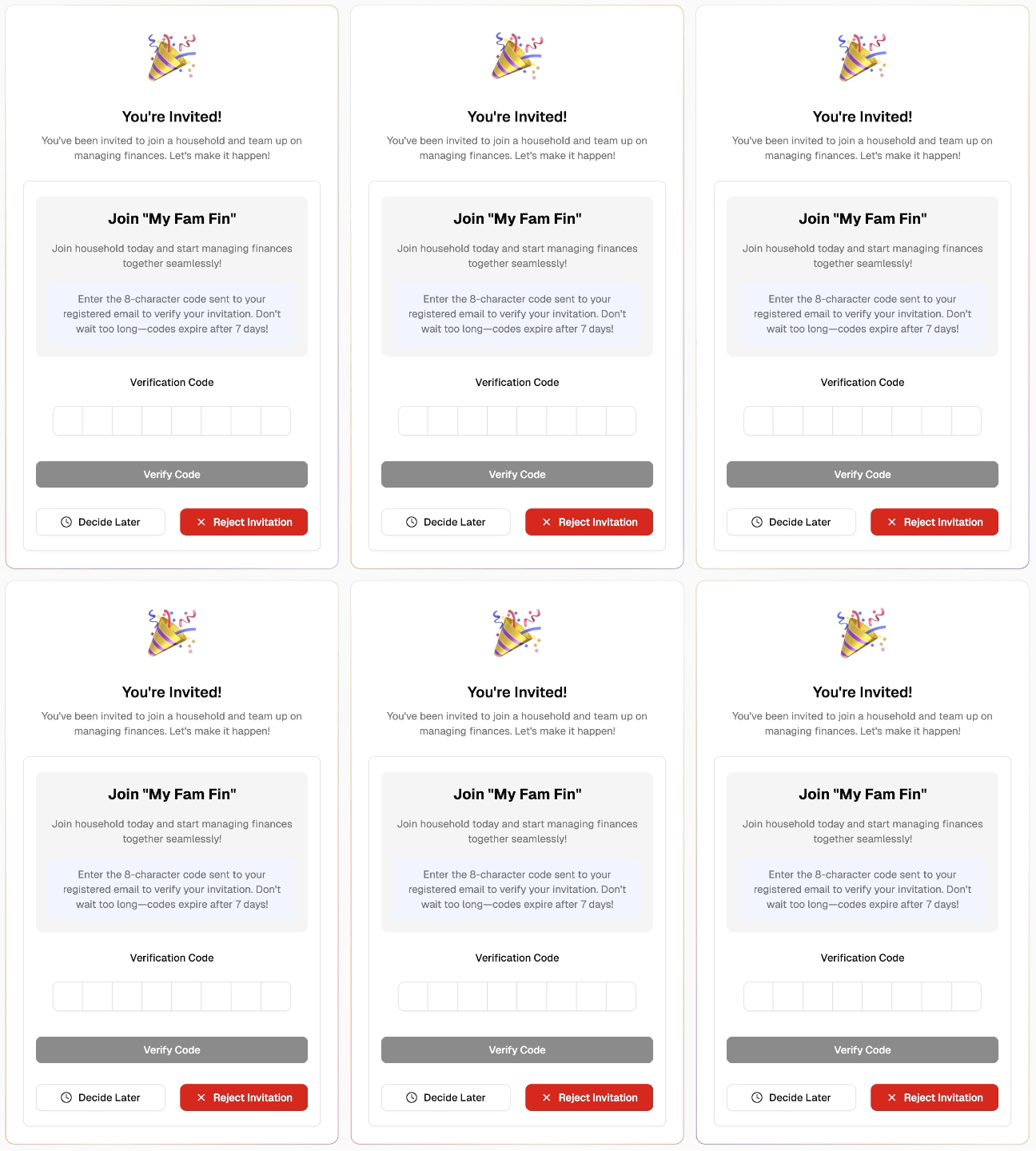
The invitation system has multiple layers of security. When a user receives an invitation email, it contains a secure link. If the recipient doesn’t have a Moneytor account, they’ll be guided through a secure registration process. If they are an existing user, they’ll simply need to log in.
The verification process requires the recipient to enter an 8-character verification code that’s included in the invitation email. This ensures that invitations can only be used by people who have access to that specific email account. The verification code has a limited lifespan (typically 7 days) for security. During this process, the recipient can see full details about the household they’re being invited to join.
Accepting and Rejecting Invitations
After a user successfully verifies their invitation code, they are presented with detailed information about the household and their proposed role.
To accept, the user clicks the “Accept” button. The system immediately adds them to the household, and notifications are sent to the household Owners. If a user chooses to reject an invitation, the invitation token becomes invalid and cannot be used again. The Owner who sent the invitation is notified of the rejection.
Switching Between Households
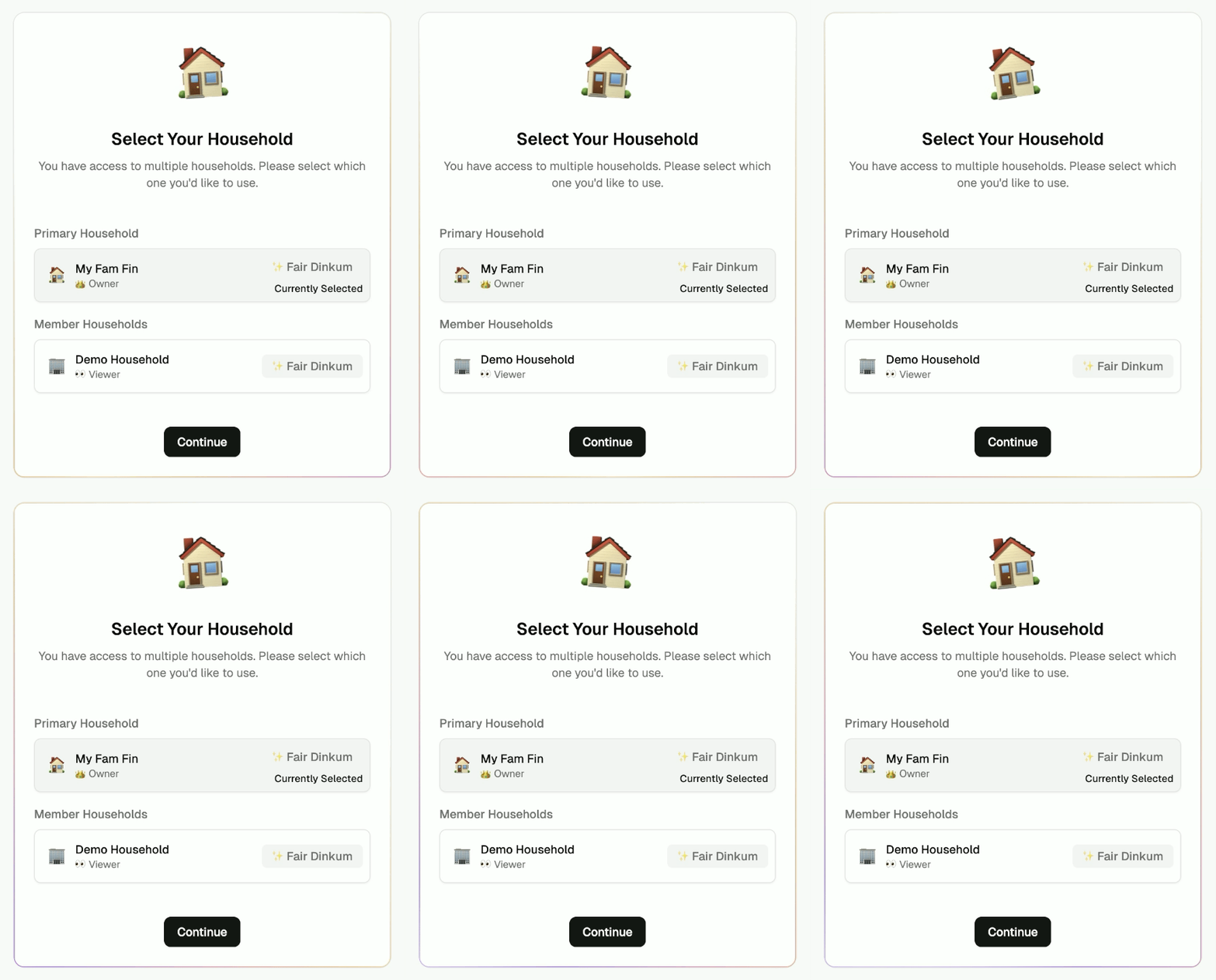
One of Moneytor’s most powerful features is the ability to belong to multiple households simultaneously. The household switching interface is accessible from the main navigation area. When you select a different household, Moneytor immediately updates all data views, reports, and settings to reflect the selected household’s information, ensuring you never accidentally mix data. Clear visual indicators, including the household name, are always present to ensure you know which household you are currently working in.
Comprehensive Household Management
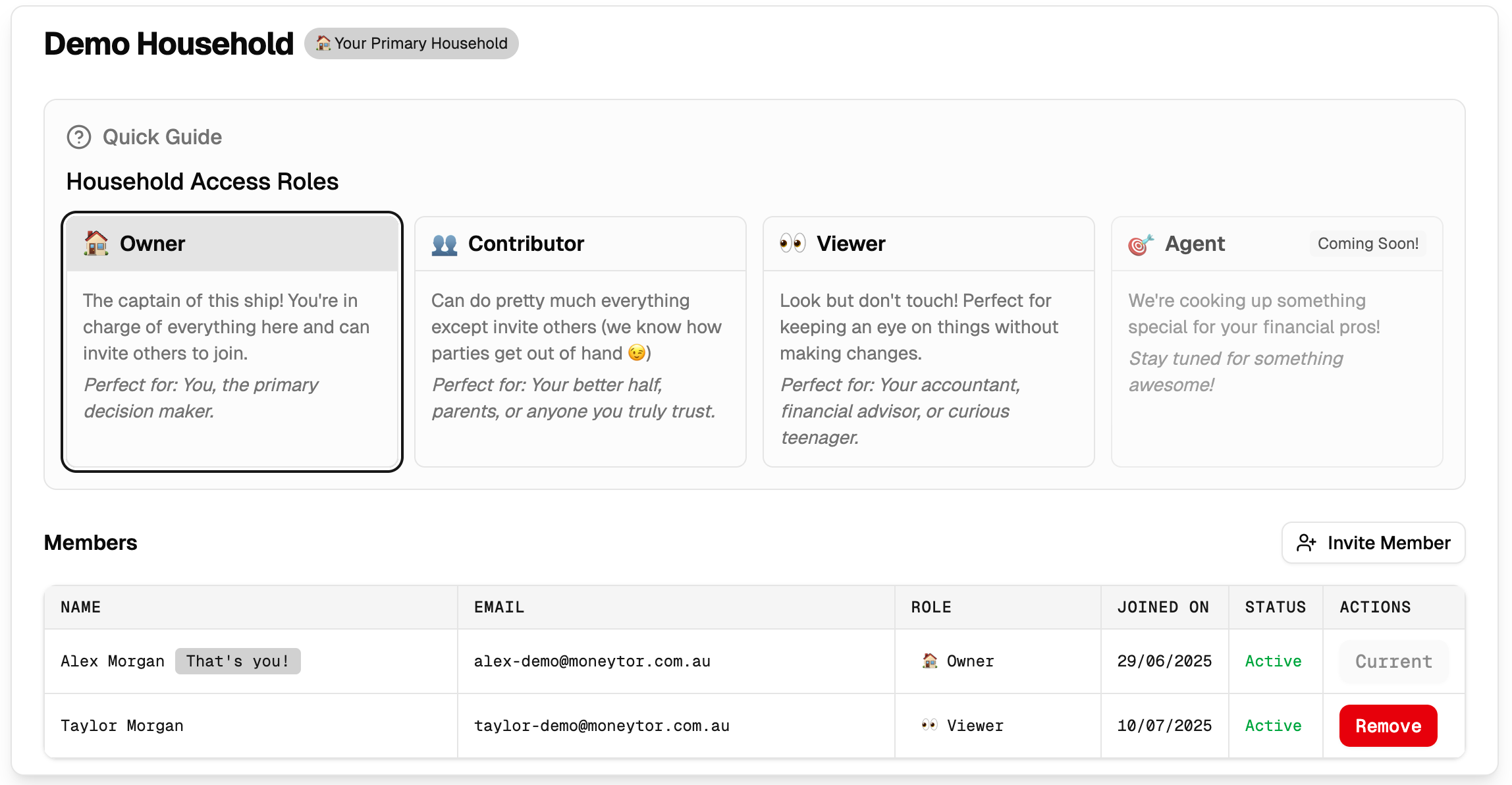
These ongoing administrative tasks are primarily available to Owners. The household management interface provides a comprehensive overview of all members and their roles. Key management functions include:
- Role Management: Owners can modify member roles at any time, promoting or adjusting access levels as circumstances change.
- Member Removal: When an Owner removes a member, the system requires explicit confirmation and provides details about what access will be revoked.
- Invitation Management: Owners can view all pending invitations, resend expired invitations, or revoke invitations that were sent in error.
- Household Settings: Owners can update the household name, configure privacy preferences, and manage data retention policies.
- Audit Trail: All administrative actions are logged. Owners can review who was added or removed, when role changes occurred, and what settings were modified.
Security and Privacy Considerations
Moneytor’s household system is built with enterprise-grade security and privacy protections.
- All household data is encrypted both in transit and at rest.
- Role-based permissions are enforced continuously throughout the system.
- The invitation system includes multiple security layers like email verification, time-limited tokens, and unique codes.
- All household activities are comprehensively logged for security monitoring.
- Privacy protections ensure that sensitive financial information like full account numbers are masked in user interfaces and never exposed inappropriately.
Best Practices for Household Success
- Assign Roles Thoughtfully: Start new members with conservative permissions (like Viewer) and adjust their roles as trust develops and circumstances change.
- Review Membership Regularly: Schedule periodic reviews (perhaps quarterly) to ensure that all members still need access and that their role assignments remain appropriate.
- Communicate Clearly: Establish clear expectations about who will handle different financial tasks and how major decisions will be made.
- Maintain Transparency: Use Moneytor’s shared reports to ensure all members understand the household’s financial position.
- Promote Security Awareness: Ensure all members understand the importance of protecting their login credentials and recognising phishing attempts.
- Use Separate Households for Separate Purposes: Consider using different households for family finances versus business partnerships to reduce complexity and improve security.
By understanding and effectively utilising Moneytor’s household features, you can create a secure, efficient, and transparent collaborative financial management environment that grows and adapts with your changing needs.