
⚙️ Profile & Appearance Settings
The settings section in Moneytor empowers you to personalise your experience by managing your account details and tailoring the app’s appearance to your liking. This guide will walk you through how to access your settings and customise your profile.
Accessing Your Settings
To get to your profile and appearance settings:
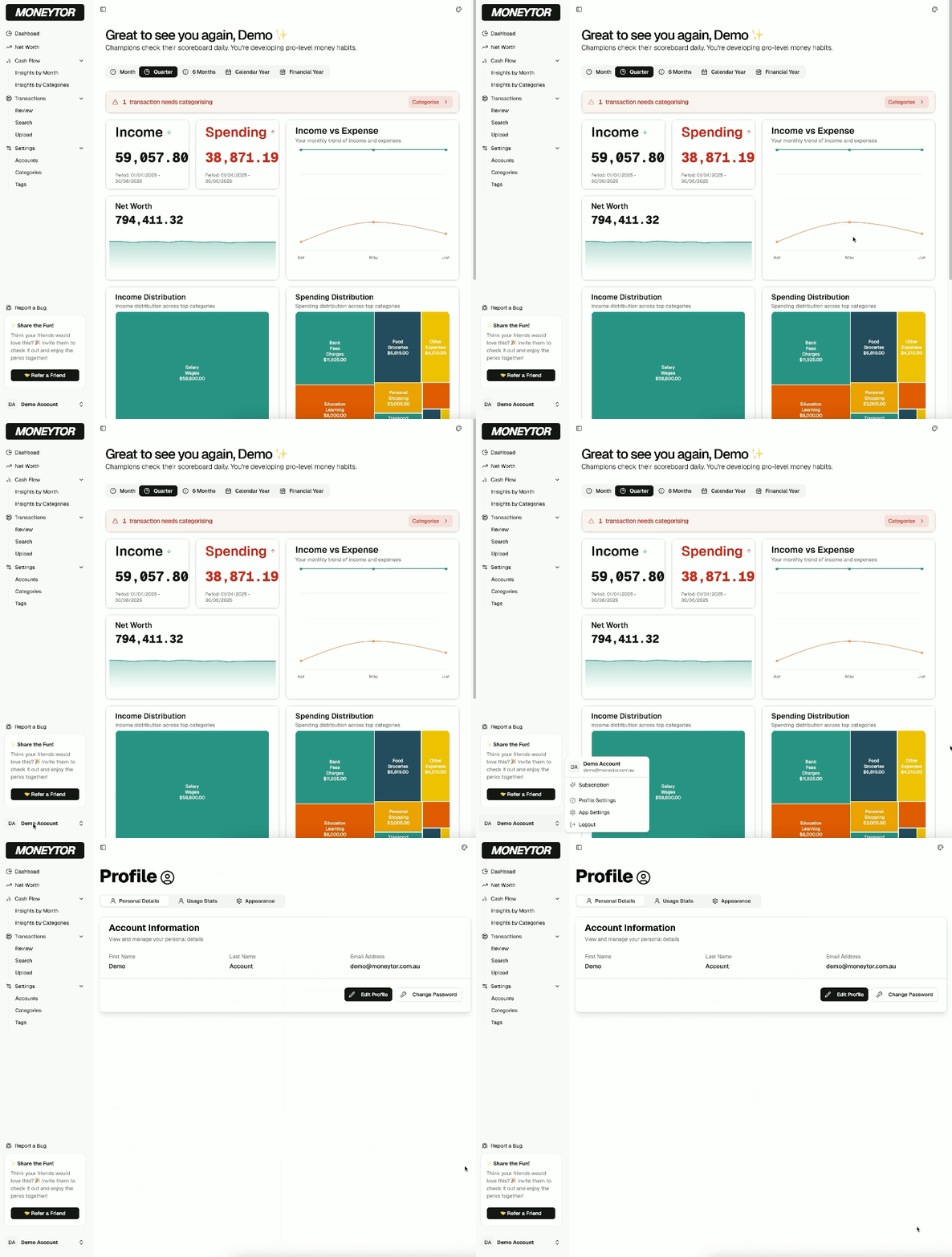
- Click on your name in the bottom-left corner of the main menu.
- Select Profile Settings from the pop-up menu that appears.
This will take you to the main Profile page, which is organised into several tabs.
Managing Your Personal Details
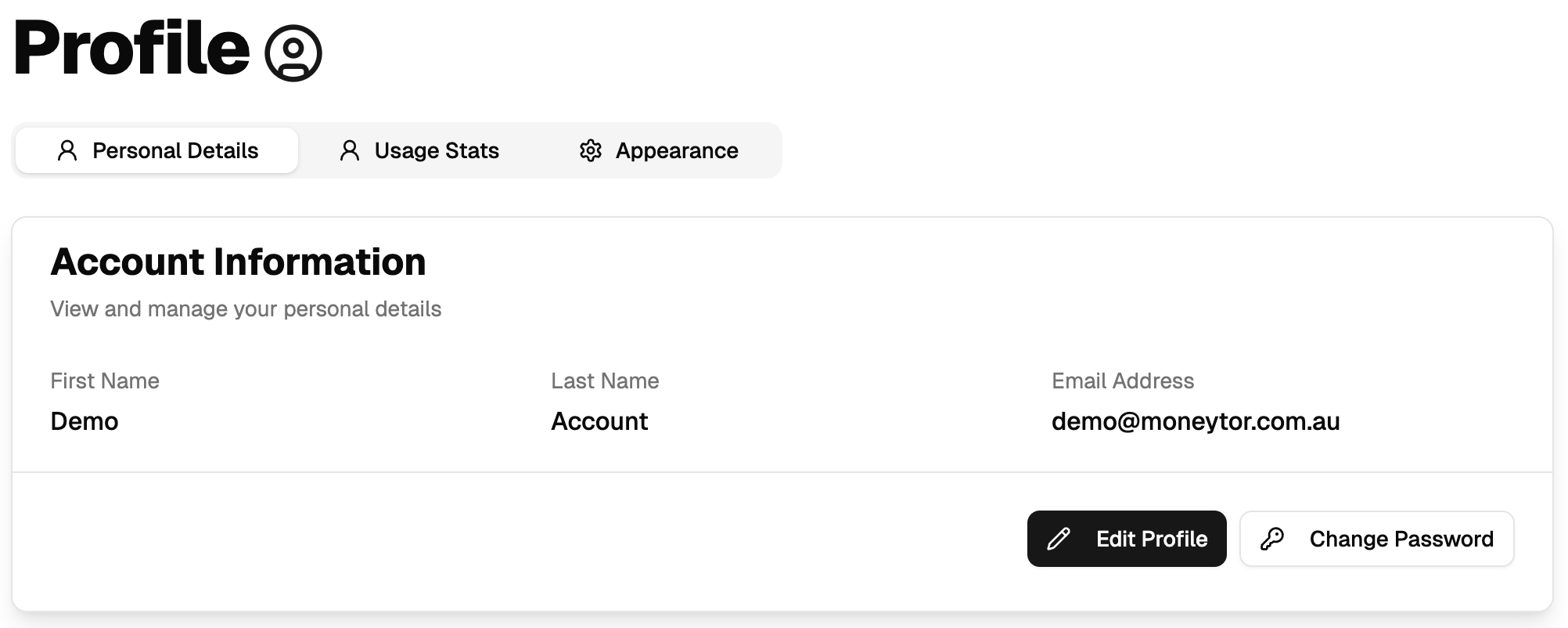
On the Personal Details tab, you can manage your core account information.
Updating Your Name
Your display name is used throughout the app in dashboards and reports. To change it, click the Edit Profile button, update your first or last name, and save your changes.
Changing Your Password
To keep your account secure, you can change your password at any time.
- Click the Change Password button.
- Enter your current password to verify your identity.
- Enter your new password, ensuring it meets the security requirements.
- Confirm the new password and save.
If you’ve forgotten your password, you can always use the “Forgot Password?” link on the main login page to reset it.
Customising Your Appearance
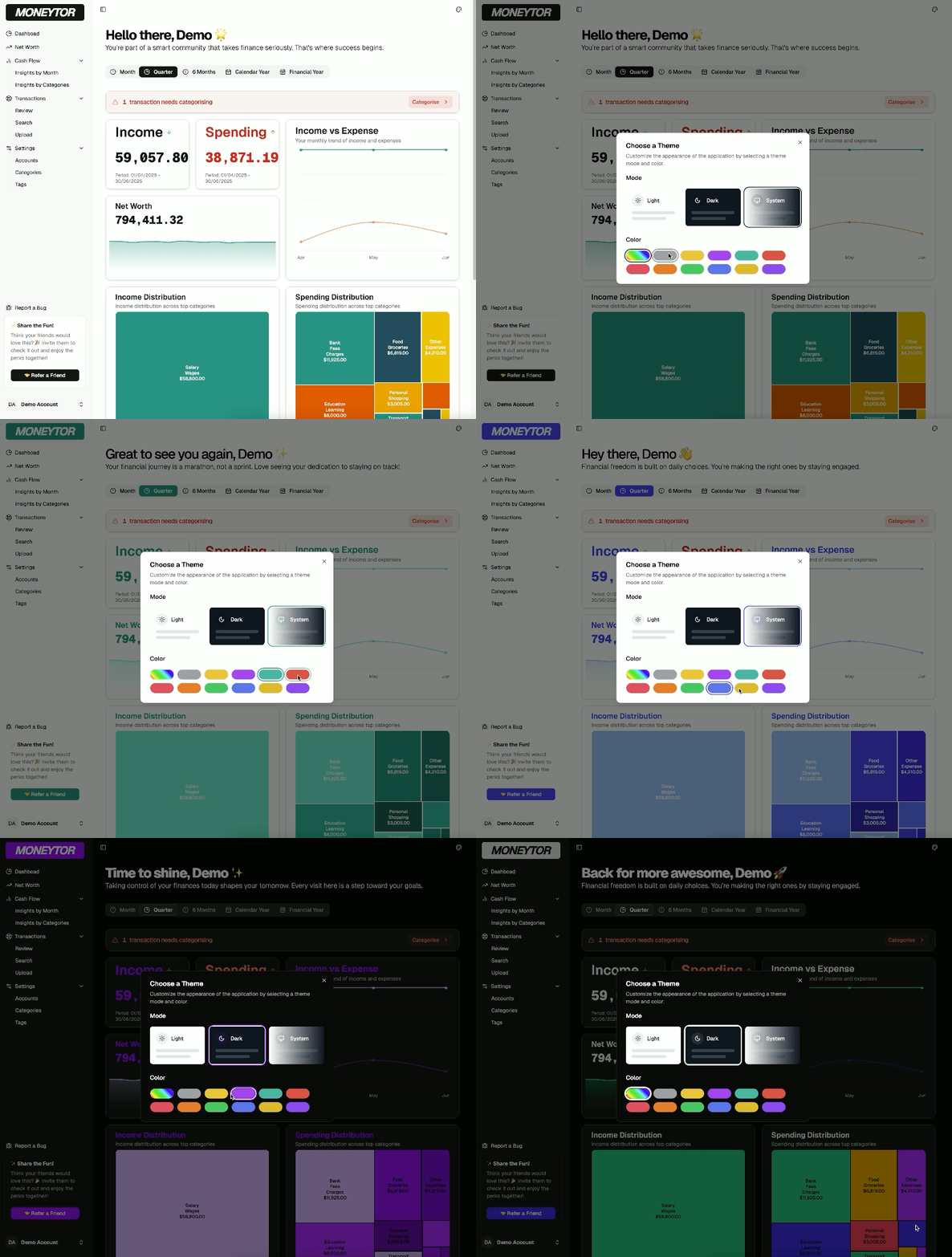
Click on the Appearance tab to change the look and feel of the Moneytor app to suit your preference.
Mode (Theme)
Choose the visual mode that’s easiest on your eyes:
- Light: A bright, classic interface.
- Dark: Reduces eye strain, perfect for low-light environments.
- System: Automatically matches your computer’s current system theme.
Colour
Personalise your app experience by selecting a primary accent colour. This colour will be used for buttons, highlights, and charts throughout the app.
Your appearance settings are saved to your device and will be remembered for your future sessions.
Best Practices
- Use a strong, unique password for your Moneytor account and update it periodically.
- Choose a display name that is easily recognisable to other members of your household.
- Select an appearance mode and colour that you find comfortable for extended use.
Troubleshooting
- If you have trouble saving changes, first check that your internet connection is stable.
- For password resets, if you don’t see the email immediately, please check your spam or junk folder.
- If theme changes don’t appear to apply correctly, a simple page refresh will usually solve the issue.