
🎯 Goals
Goals helps you save for what matters and pay down what you owe, using the balances and transactions already in Moneytor. Find it under Planning → Goals on the web app.
At the top of the page, three tiles are always visible:
- Saved towards goals: the total across your save up goals, and how it changed this month.
- Debt left: what you owe across the debts you include, and how it changed this month.
- Debt-free: the date your debts are projected to be paid off.
Below them are two tabs: Save up and Pay down.

Save up
A save up goal tracks progress towards a target amount, such as a house deposit, a holiday or an emergency fund.
- Select New goal and pick a starting point, or build your own.
- Choose where progress comes from:
- Account balance: the balance of the accounts you choose.
- Money in categories: transactions in income or spending categories you choose.
- Categories, in chosen accounts: the same, limited to the accounts you pick.
- Set the target amount and, if you like, a target date.
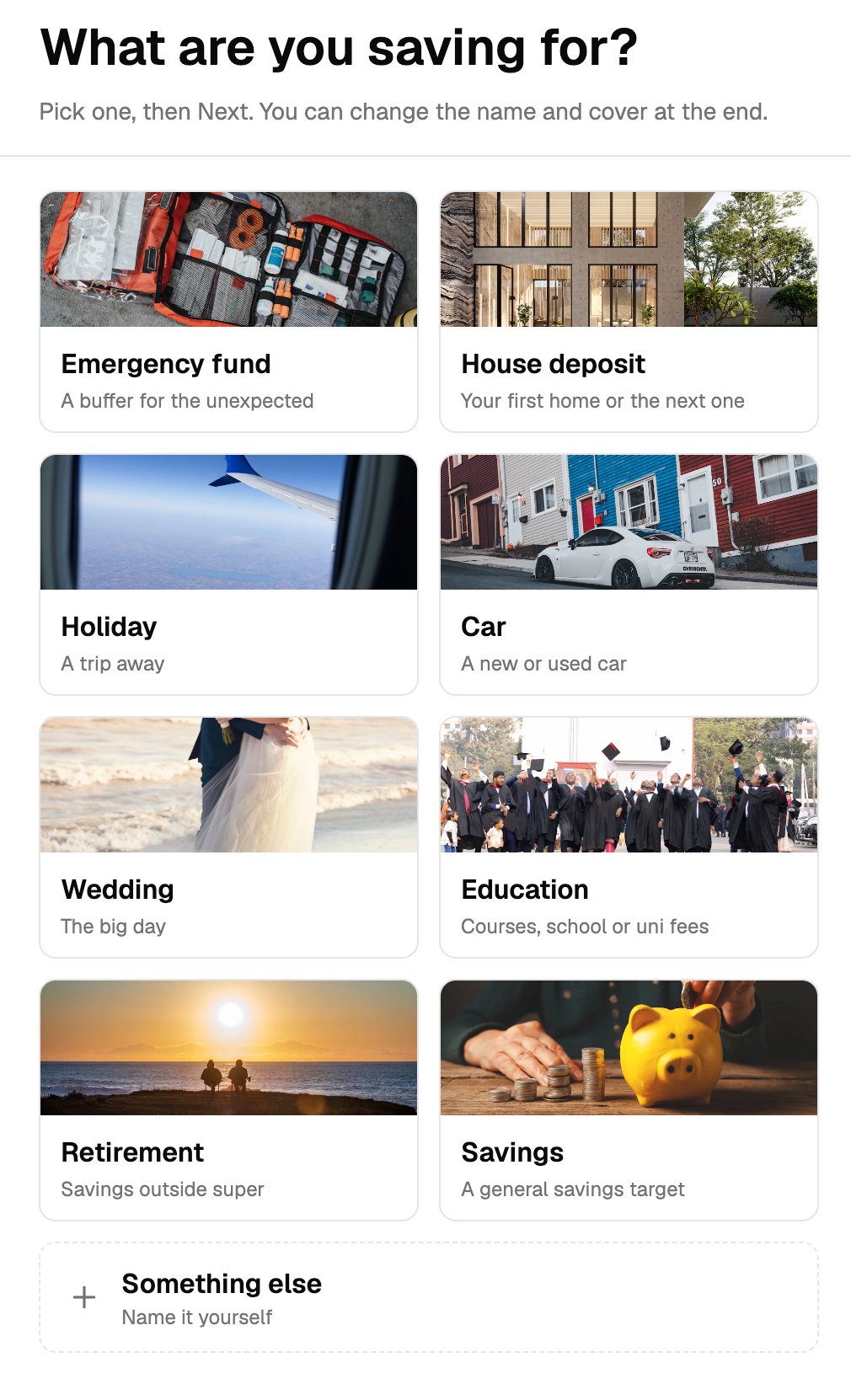
Each goal shows a status (for example Ahead, On track, At risk or Completed), a progress bar and, when you set a date, a marker for where you should be by now. Select a goal to open its page with the full chart, the amount added each month, and the transactions behind it. You can edit, archive or delete a goal from the menu on its row.
Pay down
Every debt account in Moneytor is listed here automatically, grouped as Mortgages, Loans, Credit cards and Other debts. Select a debt to open its page, and use Settings to change how it is tracked.
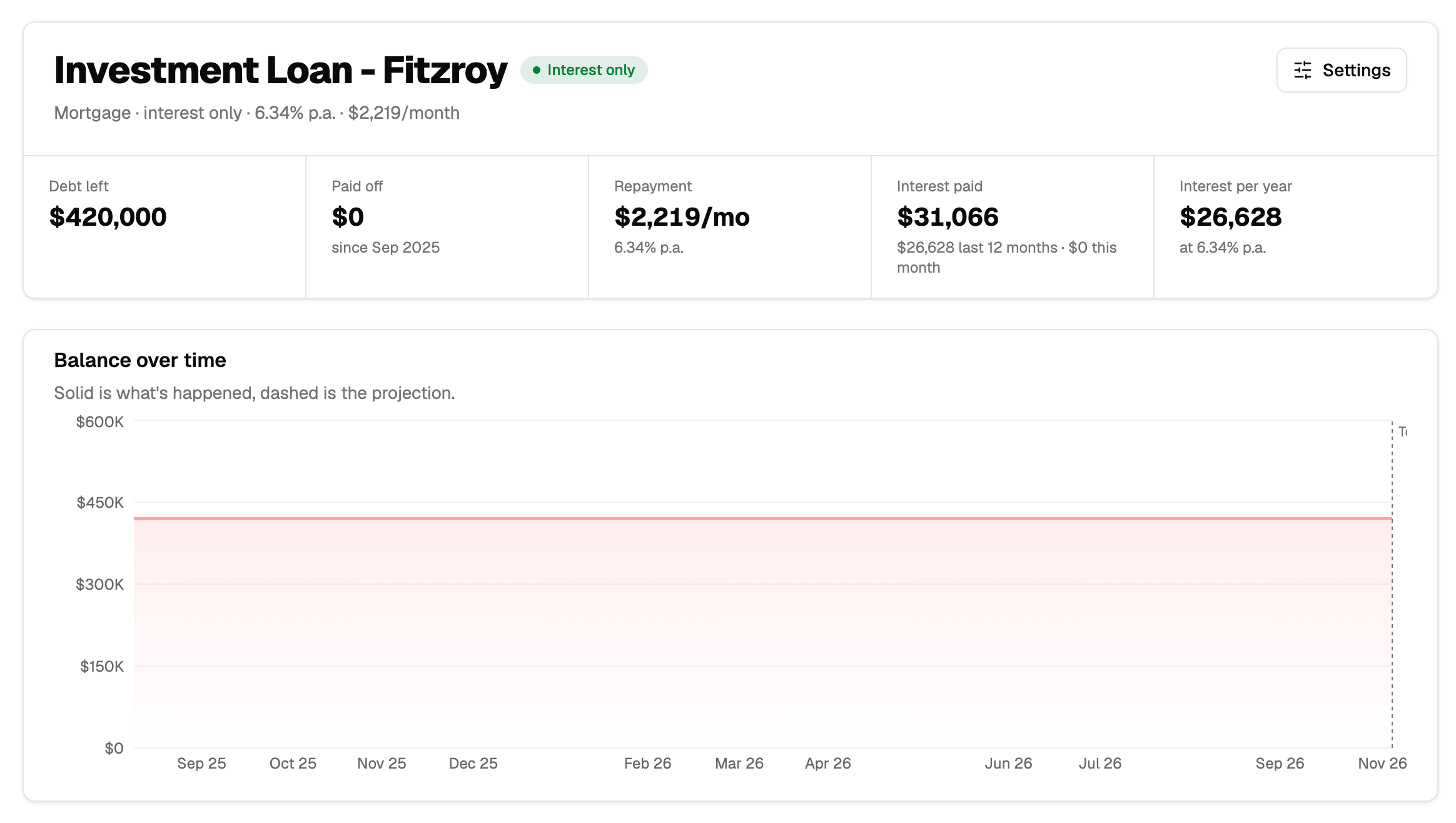
A debt’s page
- Debt left: the loan balance, less any linked offset account balances.
- Paid off: how far the debt has fallen since your start date.
- Repayment and Interest rate: from your bank when it provides them, otherwise estimated from the account’s transactions (marked as estimated). You can always change them.
- Interest paid: the interest charged on the debt since your start date.
- Debt-free: when the debt is projected to reach your target balance, and how much interest is still to come.
- Transactions: the account’s interest charges and repayments, with All, Interest and Repayments tabs.
Settings
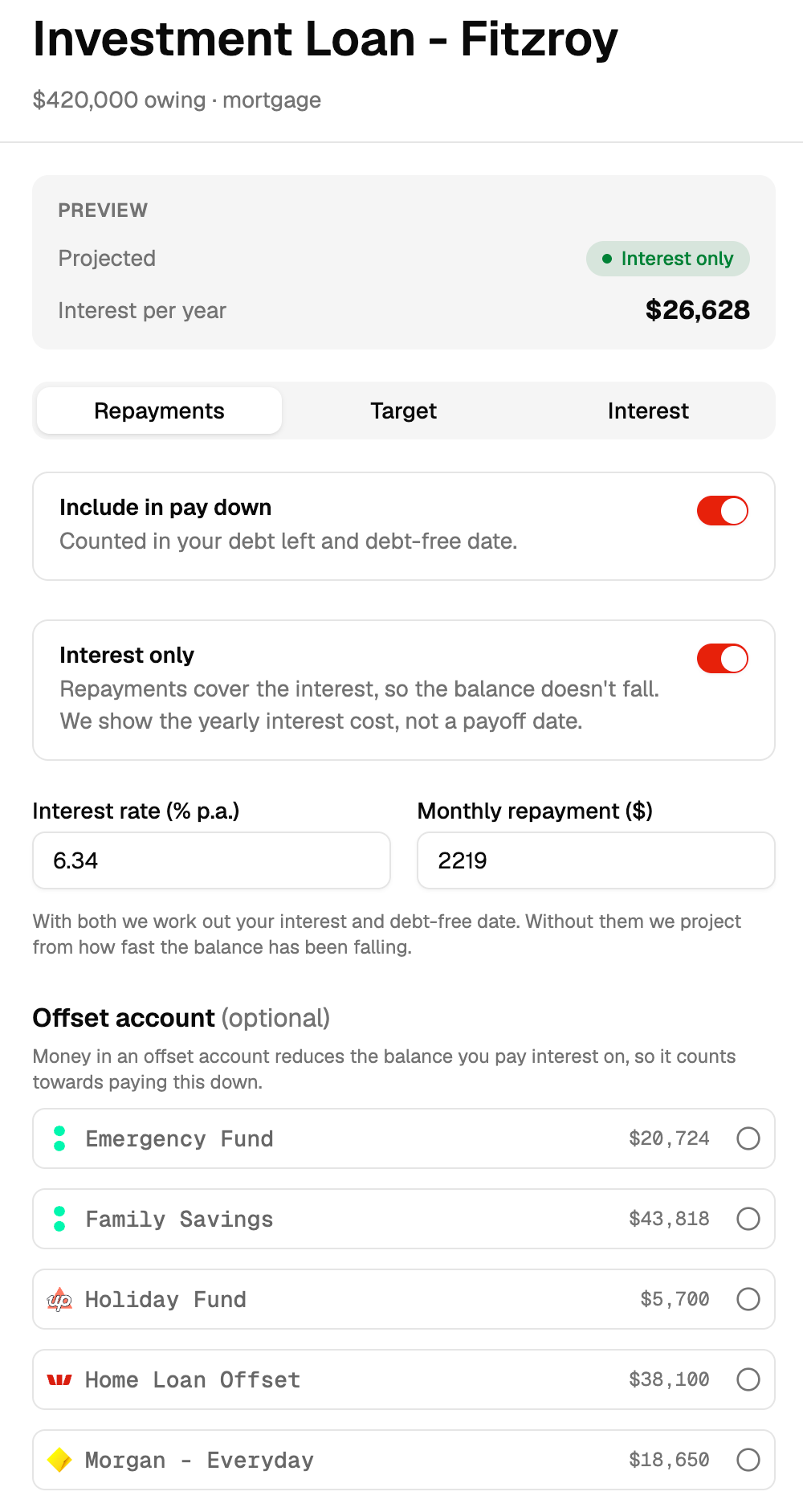
The settings drawer has three tabs, with a live preview above them.
- Repayments: include or leave out the debt, the interest rate, the monthly repayment and any offset account. Loans also have an Interest only switch, and credit cards have I pay this card off in full each month.
- Target: a date to pay it off by, a target balance (zero means paid off completely) and the date to count progress from.
- Interest: which transactions count as interest. By default Moneytor finds interest from the descriptions of the account’s transactions: a debit that mentions interest. If you record interest in a category of your own, pick it here and only debits in those categories count.
Paying it off by a date
If you set a Pay it off by date, the debt’s page shows a second row, and the preview in the settings shows the same figures as you change the date:
- Pay it off by: your date, and how much sooner or later it is than your current repayment gets you there.
- Repayment needed: the monthly repayment that clears the debt (or brings it down to your target balance) by that date. It includes interest at the loan’s rate. Without a rate it leaves interest out, so add your rate under Repayments for a true figure.
- Extra each month: how much more that is than your current repayment, or Already on track if your repayment already gets you there.
- Interest to go: the interest you would pay at the repayment needed, and how much less (or more) that is than at your current repayment.
If the loan has an offset account, the figures assume your offset balance stays where it is and is used to clear the rest. Every figure assumes today’s interest rate stays the same.
Interest-only loans
If your repayments only cover the interest, turn on Interest only. If your bank tells us the loan is interest only, the switch is already on. The loan then shows Interest only and the Interest per year it costs at today’s balance and rate, instead of a payoff date. It does not count towards the debt-free date. If you set a Pay it off by date, the loan is judged against it instead: it shows At risk unless your repayment would pay it off by then, and the row above shows the principal-and-interest repayment needed.
Credit cards
A credit card always has a rate and a minimum payment from the bank, and many people pay the full balance every month to avoid interest.
If a card has at least six months of history and no interest has been charged for a year or more, Moneytor treats it as paid in full each month. Its page shows:
- Balance: what you owe now. Cards still count towards Debt left.
- Next payment: the due date and amount from your bank, when it provides them.
- Minimum payment and Interest rate: from your bank. A minimum of $0 means nothing is due right now.
- Interest paid: none charged.
- Spent and paid each month: a chart of purchases against repayments for the last 12 months.
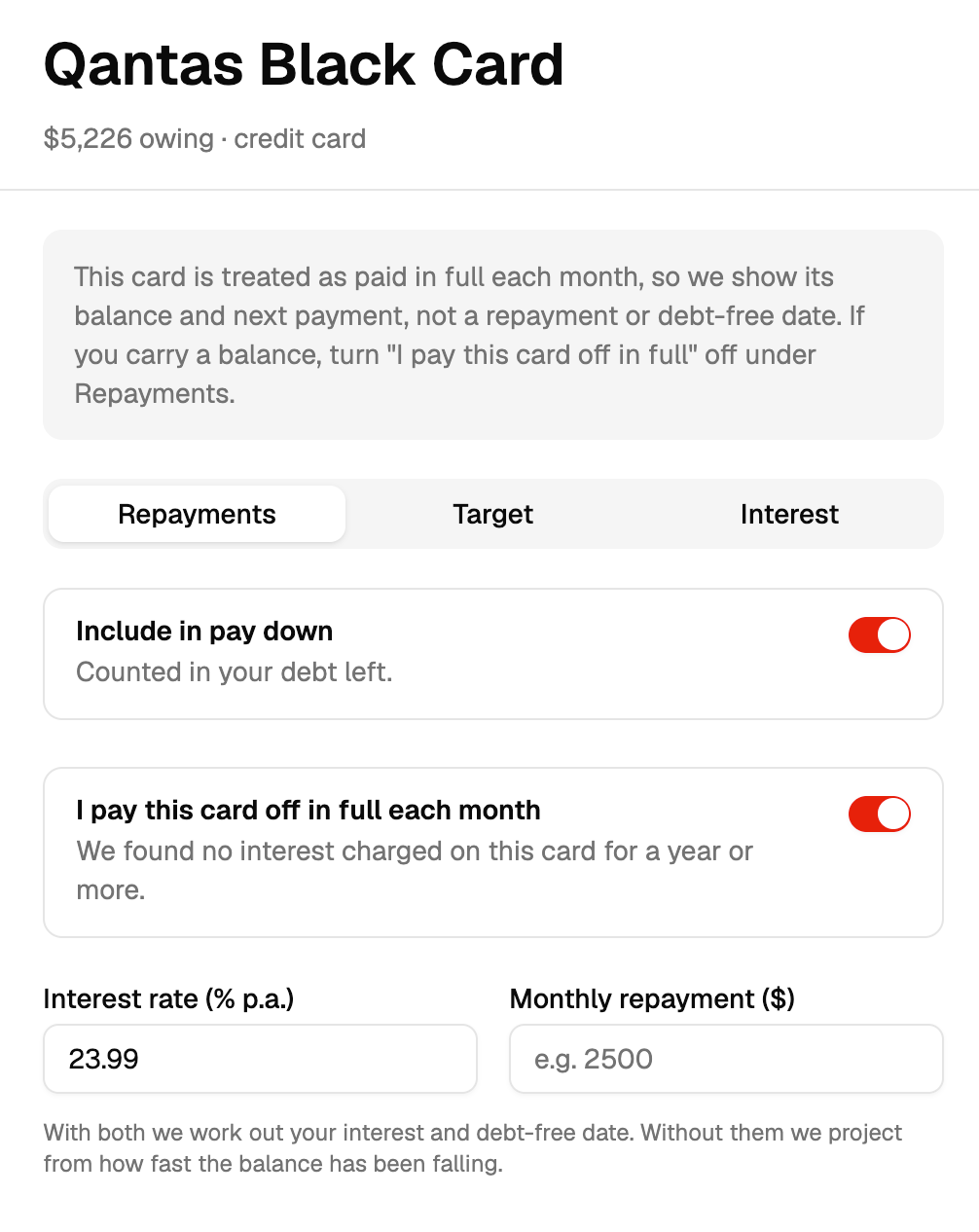
Paid-in-full cards have no payoff projection and do not affect the debt-free date. If you start carrying a balance, turn off I pay this card off in full each month in the card’s settings and it is tracked like any other debt, with a rate, a repayment and a projection. If you have not set the switch yourself and interest is charged on the card, it switches to a normal debt on its own.
Leaving a debt out
Turn off Include in pay down to keep a debt listed but out of the totals.
Tips
- Check the rate and repayment: your bank’s stated rate can be higher than the rate you actually pay if you have a discount. Compare it with the interest charges in the debt’s transactions.
- Count progress from the right date: if a balance jumped when you first connected the account, set Count progress from to a date after it.
- Offset accounts: link an offset account so the debt left, and the projection, reflect the balance you actually pay interest on.